SEO title & description
Written to length, with a live character count, pushed straight into your store's SEO fields. How it works
Zutomatic reads what you already have — titles, options, prices — and writes the highlights, specifications, FAQ, shipping notes and SEO fields every product page needs. In your voice, in 11 languages, published to your store in one click.
Free plan, no card 5-minute setup No code
What Zutomatic does
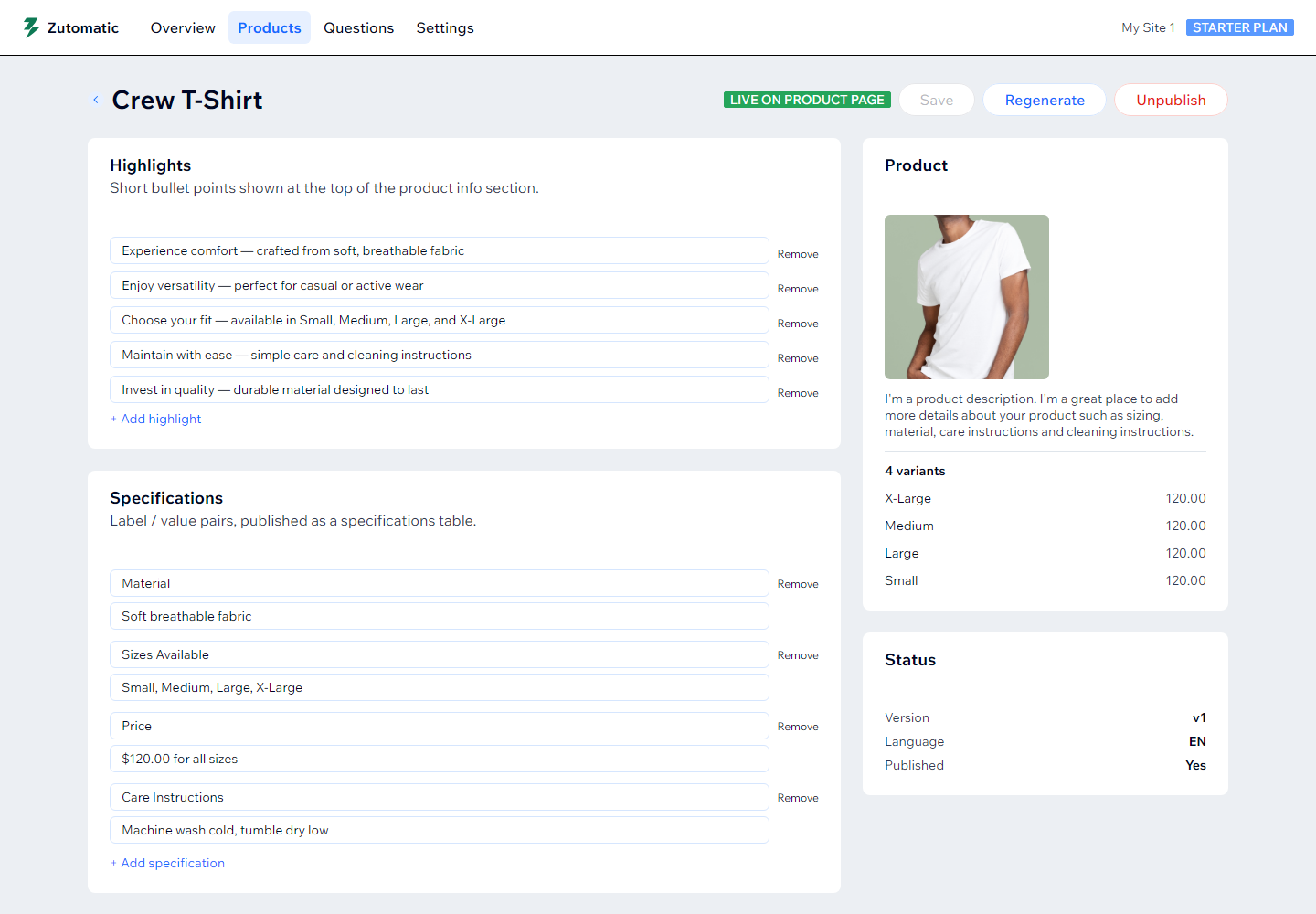
Highlights, specifications, FAQ, shipping & returns and SEO metadata — generated from your real product data, not templates. Review, edit anything, publish.
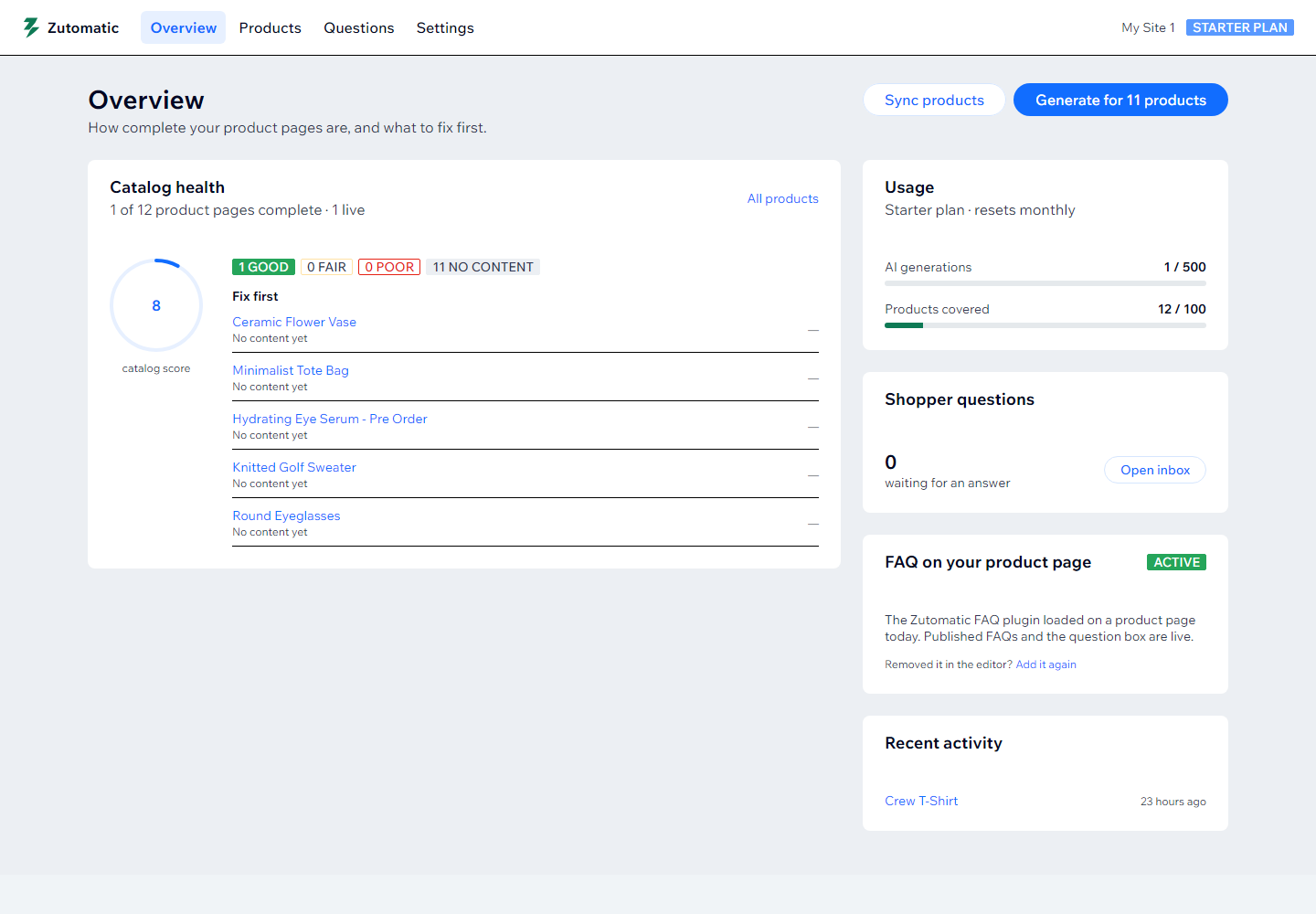
Catalog Health
Every product is scored out of 100 for missing highlights, thin FAQs, empty shipping info and weak SEO fields. The fix list puts the weakest pages on top, so you always know what to do next.
Generate & publish
Pick a product and Zutomatic writes highlights, a specifications table, FAQ, shipping & returns, and an SEO title and description. Nothing reaches your storefront until you say so.
Your voice
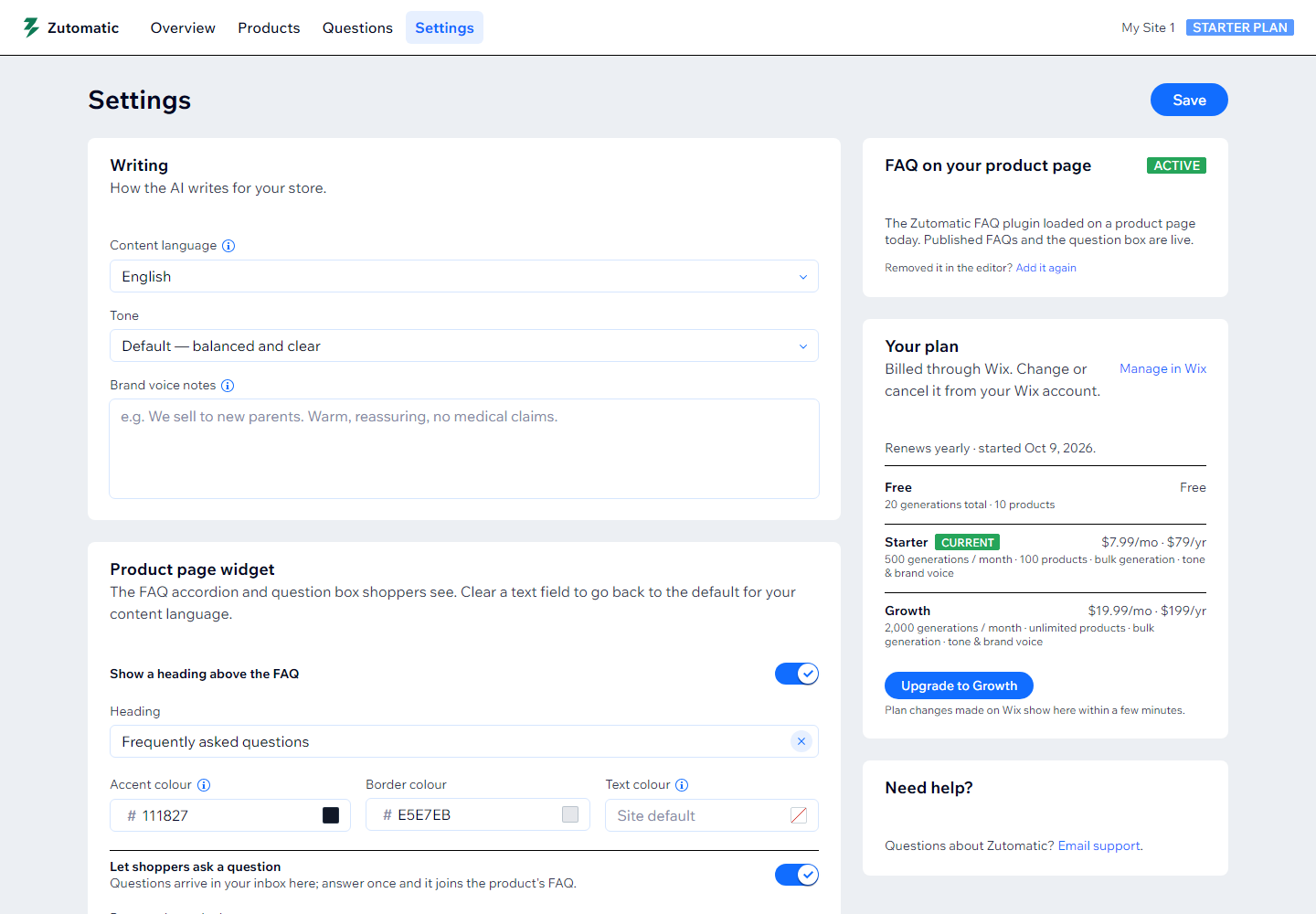
Set the tone once — playful, premium, plain-spoken — add brand notes, choose a language. Every highlight, answer and meta description follows it. No generic AI filler.
Written to length, with a live character count, pushed straight into your store's SEO fields. How it works
Your Q&A is added as FAQPage schema so search engines and AI assistants can read it. About product FAQs
Every generation is saved. Restore a previous version of a product's content in one click.
Change a product's title, options or description and the app flags its content for a refresh.
Queue the whole catalog on paid plans, then publish everything with content in one go.
English, Spanish, French, German, Italian, Portuguese, Dutch, Japanese, Chinese, Arabic, Korean. See all
On the storefront
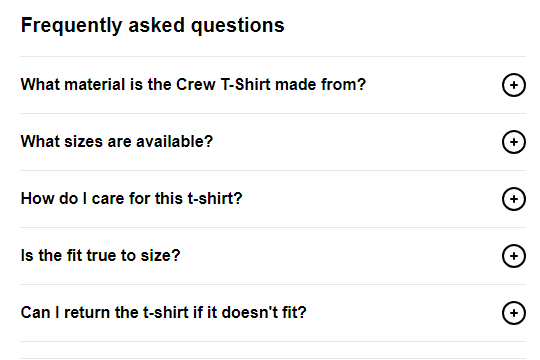
Add the Zutomatic FAQ plugin to your product page once. Every product with a published FAQ shows it automatically, with a question box that answers while the shopper is still typing.
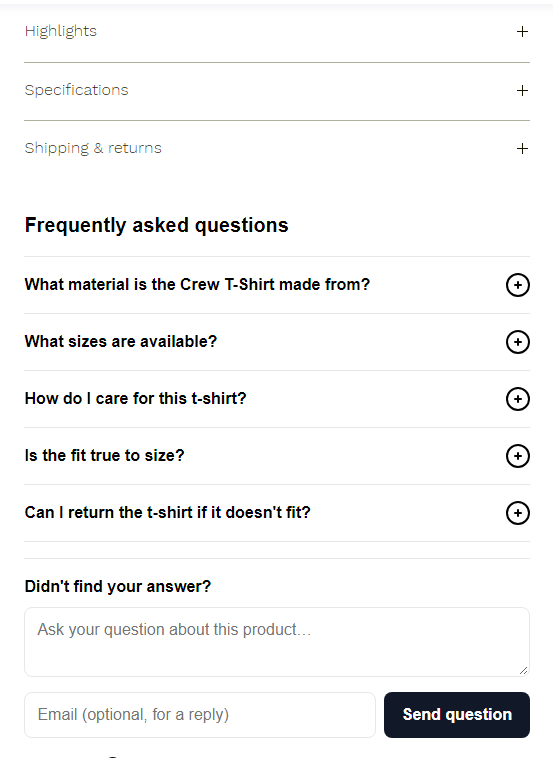
Native info sections plus a clean accordion under the buy box. Styled from your dashboard: heading, colours, wording.
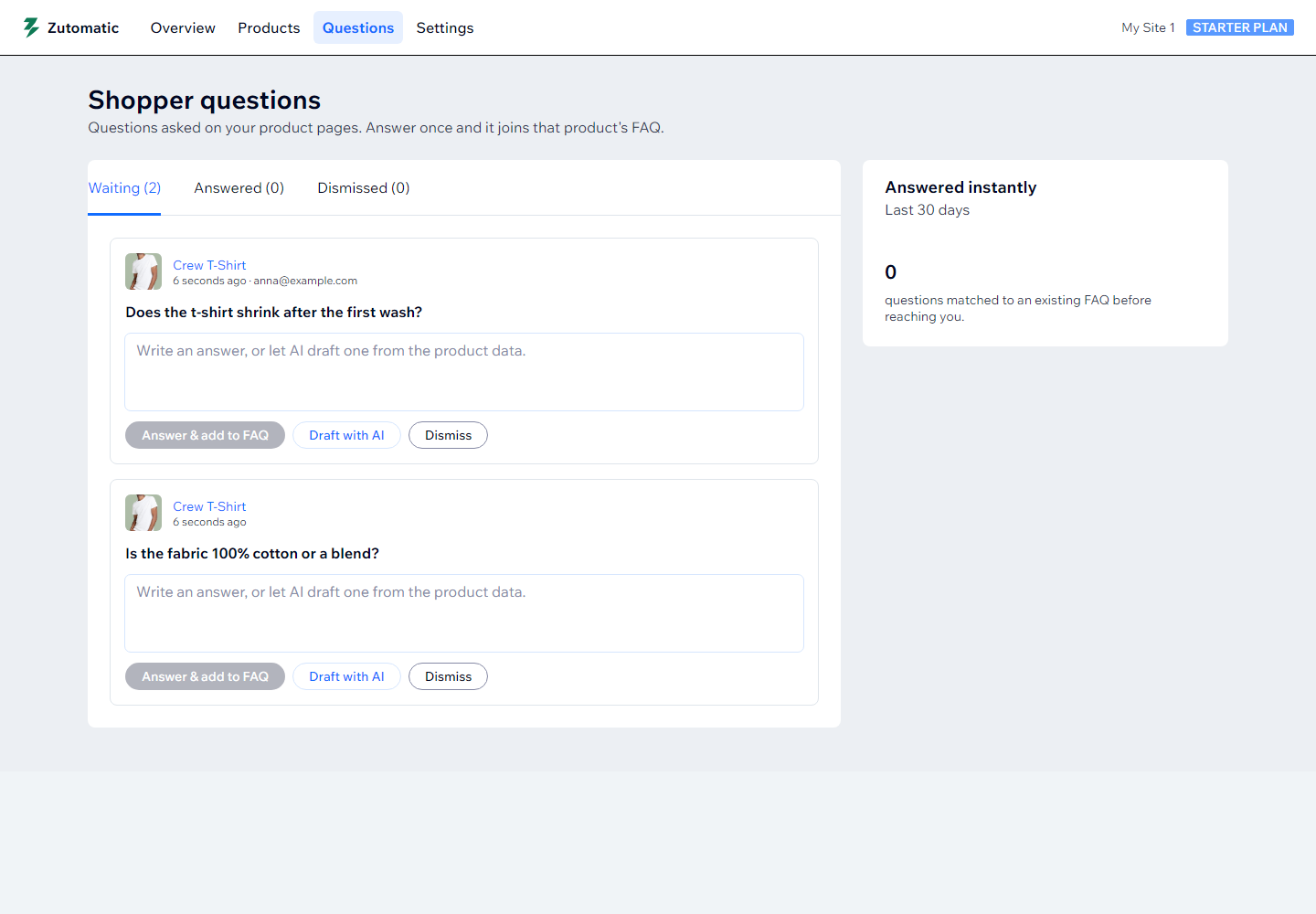
While a shopper types, matching FAQ answers appear under the box. Anything the FAQ can't answer lands in your inbox — answer once with an AI draft, and it joins that product's FAQ.
How it works
No developer, no API keys, no code. Most stores are done in ten minutes.
Add Zutomatic from the Wix App Market. Your products sync automatically and every page gets a Catalog Health score.
Pick a product or run the whole catalog. The AI reads your titles, descriptions, options and prices, then writes all six sections.
Edit anything, hit publish, and the sections, FAQ and SEO fields go live on the product page. Add the FAQ plugin once for the question box.
Pricing
Every plan includes all six content sections and the storefront widget.
Try it on a few products.
For growing stores.
For large catalogs and richer FAQs.
The Shopify version is coming soon. Billed through Shopify when it launches; paid plans will include a 7-day free trial.
Billed through Wix. Start free and upgrade when it pays for itself; yearly plans save about 18%. Cancel anytime from your Wix account.
FAQ
Zutomatic runs on Shopify and on Wix Stores. On Shopify it uses Online Store 2.0 theme extension blocks, compatible with Dawn, Sense, Refresh and most premium themes — you add the block in the theme editor. On Wix the content is published as native product info sections and the FAQ comes as a site plugin you add to the product page once. No code edits on either.
They help your pages answer the questions shoppers actually search for, which supports ranking in Google and makes your products easier for AI assistants like Google AI Overviews and ChatGPT to cite. The app also adds FAQ structured data. Note that Google now shows expandable FAQ snippets only for government and health sites, so the benefit comes from better answers on your page, not a special search snippet.
Absolutely. Every section is fully editable before you publish. Tweak wording, add or remove FAQ items, adjust SEO fields, regenerate individual sections — then publish when you're satisfied.
The app stops generating new content once you reach your plan's product or generation limit. Everything already published stays live on your storefront, and you can upgrade at any time from the app.
On Shopify, paid plans include a 7-day free trial billed through Shopify — you aren't charged until it ends and can cancel from within the app. On Wix you start on the Free plan with no card and upgrade through Wix whenever it pays for itself; billing and cancellation happen in your Wix account.
Choose your target language in settings and the AI writes all content in that language from scratch — it doesn't translate English output — which produces far more natural results.
Free plan, no card, five-minute setup. Works with Wix Stores today; Shopify is on the way.
Upgrade only when it pays for itself · Cancel anytime