Size charts that
write themselves.
"Will it fit?" is the question that loses the most sales. Zutomatic Size Charts writes a size chart, fit notes and measuring tips for every product from its own sizes, and puts a Size guide button right where shoppers decide.
Free for 3 products No card 5-minute setup
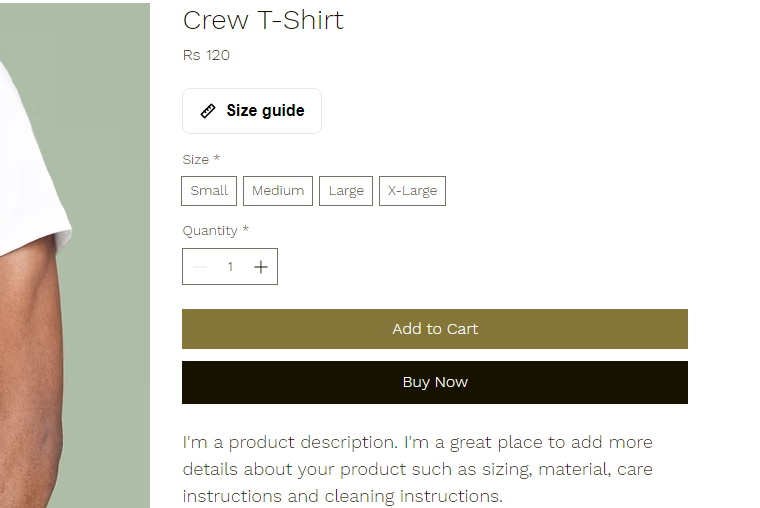
What shoppers see
A size guide people actually use
A clean pop-up next to Add to Cart, with the chart, honest fit notes and how to measure. Everything in your store's language.
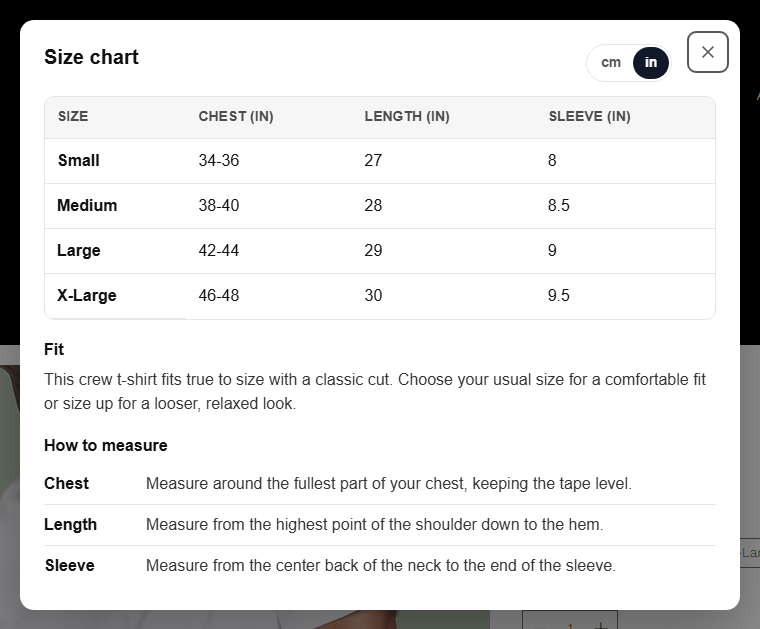
The size guide
The chart, fit notes and measuring tips, one tap from the buy button
Shoppers press Size guide and get the table for the exact sizes they can buy, a plain-language note on how the item fits, and one tip per measurement so even a first-time tape measure gets it right.
- cm ⇄ in switch converts every value in the browser
- Button or inline, your colours and wording
- Accessible: keyboard, screen readers, mobile
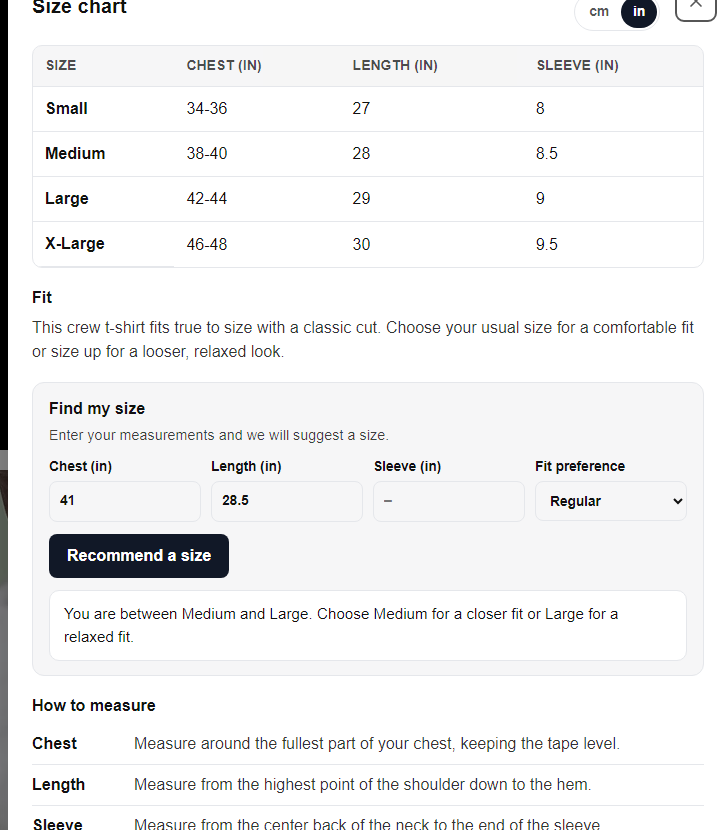
Find my size · Pro
"We recommend Medium." Fewer wrong sizes, fewer returns.
Shoppers type the measurements they know and pick slim, regular or relaxed. The plugin matches them against that product's chart and recommends a size. Between sizes? It says so, and which way to go.
- No setup: it reads the chart you already published
- Runs in the browser, nothing about the shopper is stored
- In 11 languages, wording editable in settings
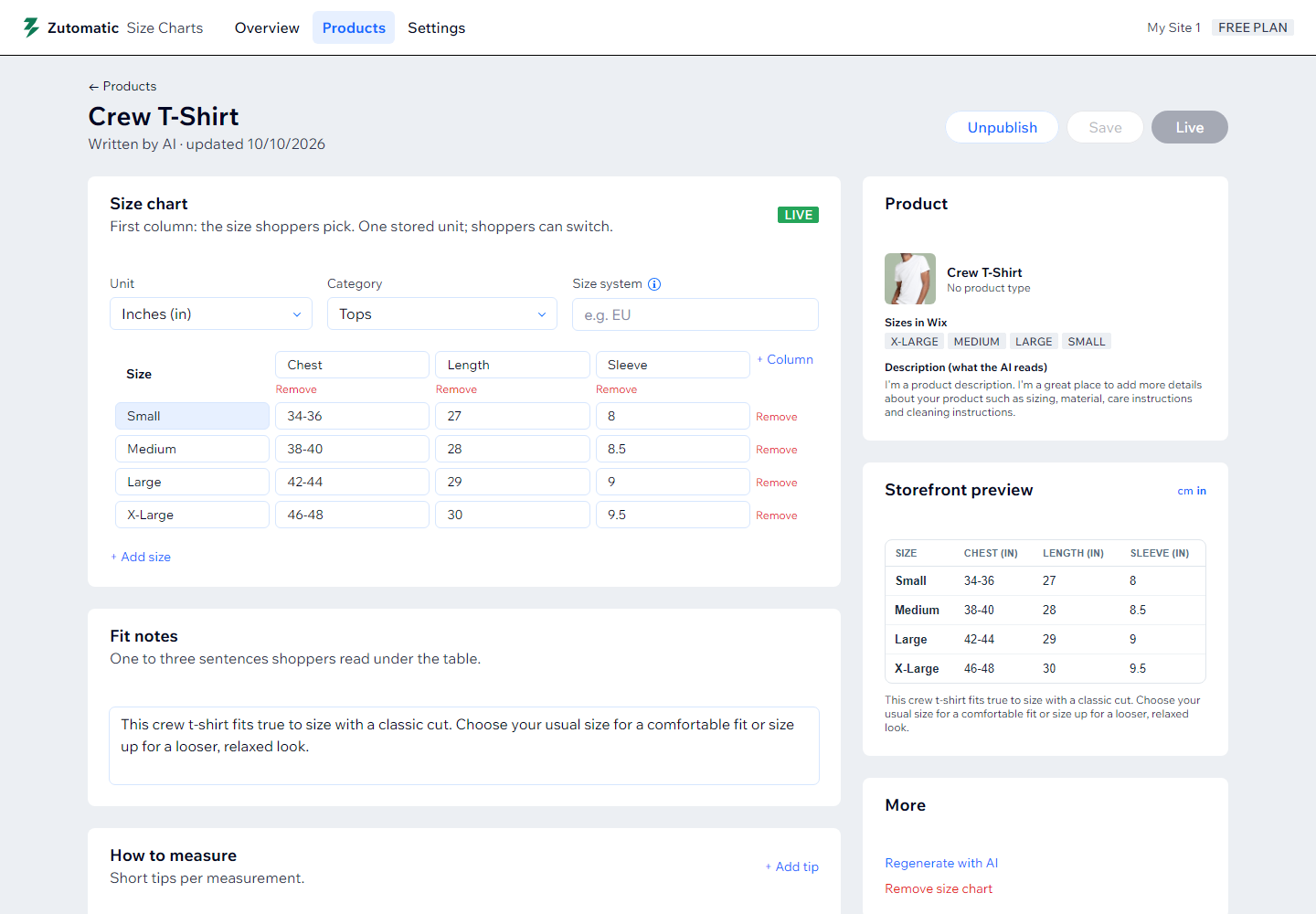
Written by AI, edited by you
Rows from the product's real sizes, measurements from its description
Open a product, click Generate. The AI uses the sizes you sell as rows, writes realistic measurements for that product type, and adds fit notes and tips. Edit any cell, change the unit, publish when it's right.
- Paste from a spreadsheet if you already have a chart
- Storefront preview before anything goes live
- Write for all on Pro: the whole catalog in one click
Shared charts
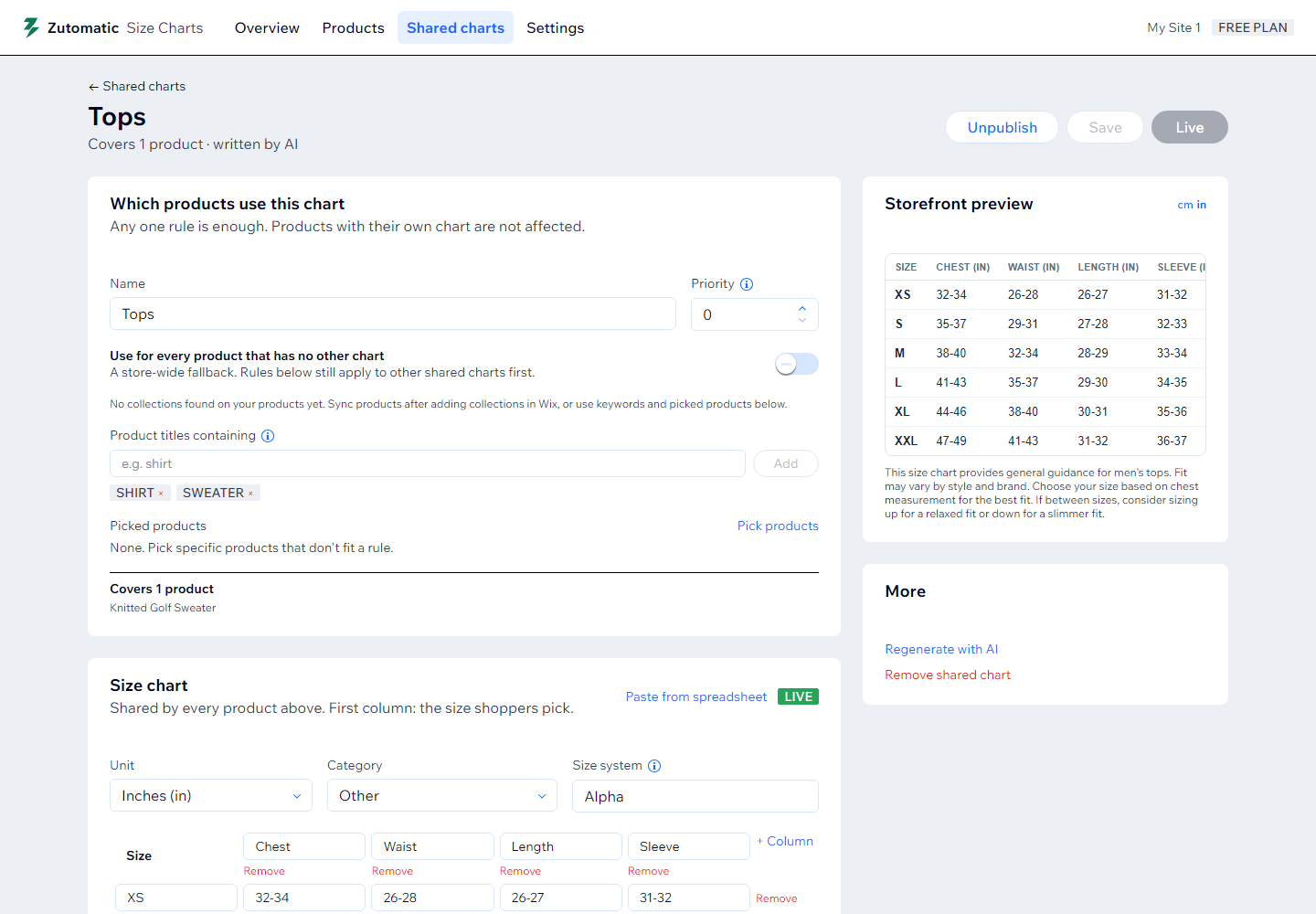
One chart for all your t-shirts. Fix a value once, everywhere.
Write one chart for a collection, a product type, a keyword such as "hoodie", or hand-picked products. Every matching product shows it. A product can still get its own chart when it needs different measurements, and that one wins.
- Live coverage count as you set the rules
- Store default for everything without a chart
- CSV export & import: your charts are yours
How it works
From product data to a live size guide in three steps
Sync your products
Install the app and your Wix Stores catalog syncs automatically, sizes and collections included. Nothing on your site changes yet.
Generate the chart
Per product, or one shared chart per collection. The AI recognises the category and writes the measurements that matter: chest and length for tops, waist and inseam for bottoms, foot length for shoes.
Review and publish
Edit any cell, then publish. Add the plugin to your product page once from the dashboard, and every published chart shows up as a Size guide button.
Zutomatic Size Charts
Free for 3 products. Pro is one flat price.
No per-order fees, no usage tiers. Billed through Wix; cancel anytime.
Every feature, on a few products.
- Size charts for 3 products
- AI-written chart, fit notes and tips
- Shared charts for collections
- Paste, import & export CSV
- cm/in switch, 11 languages
- "Find my size" recommender
- Write the whole catalog in one click
Unlimited products, one flat price. $48/year if billed yearly.
- Size charts for unlimited products
- AI-written chart, fit notes and tips
- Shared charts for collections
- Paste, import & export CSV
- cm/in switch, 11 languages
- "Find my size" recommender
- Write the whole catalog in one click
FAQ
Questions about size charts
Where do the sizes in the chart come from?
From your product. If the product has a size option (S, M, L or 38, 39, 40), those exact sizes become the rows. The AI then writes realistic measurements for that product type from the description, and you can edit any cell before publishing.
Do I have to make a chart for every product?
No. Write one shared chart for a collection, a product type or a keyword such as "shirt", and every matching product shows it. A product can still get its own chart when it needs different measurements, and that one wins.
How does "Find my size" work?
Shoppers type the measurements they know, for example chest and length, pick slim, regular or relaxed, and the plugin matches them against the product's own chart. When they fall between two sizes it says so and explains which to choose. It runs in the browser, needs no setup and is part of the Pro plan.
Can I bring charts I already have?
Yes. Paste a table straight from Excel or Google Sheets into the editor, or import a CSV. You can export every chart as CSV at any time, so your work is never locked in.
Can shoppers switch between centimetres and inches?
Yes. You keep one unit in the dashboard and the size guide converts on the product page. You can turn the switch off if you only want one unit.
Does it work with my Wix theme?
The size guide is a Wix site plugin that you add to the product page once, right under the price. It inherits your site's font and text colour, and you pick the accent and border colours. It works on Wix Stores sites built in the Wix Editor and Wix Studio.
What does the free plan include?
Size charts on 3 products, every feature except the recommender and bulk writing. The Pro plan removes the product limit, adds "Find my size" and writes charts for your whole catalog in one click. It is one flat price with no per-order fees, billed through Wix, and you can cancel any time.
Answer "will it fit?" on every product.
Free for 3 products, no card, five-minute setup. Pro is $4.99 a month, flat.
Billed through Wix · Cancel anytime